
iPhone Stuck on Black Screen? Here's How to Fix It Fast in Alberta
So your iPhone screen just went black. You press the button nothing. You plug it in still nothing. You start to panic a little. We get it. It happens to a lot of people here in Alberta, and honestly, it’s one of the most common things we see at our repair shop.
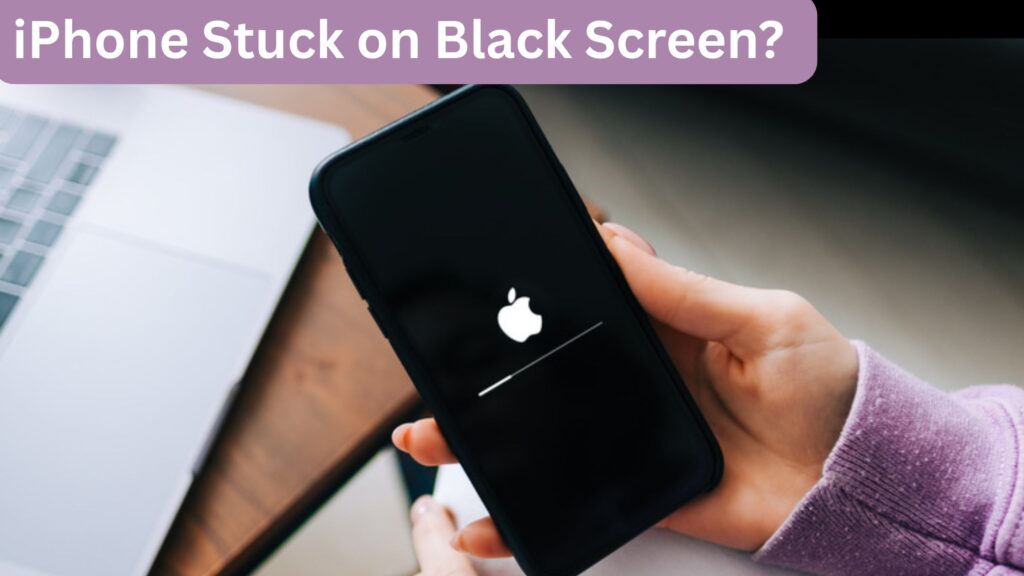
The good news? Most of the time, iPhone stuck on black screen issues are fixable. Sometimes in under 5 minutes. And you don’t always need to rush to a store right away. In this guide, we’ll walk you through what actually causes it, what you can try at home, and when it’s time to bring it in for professional iPhone repairs.
We’re breaking down everything you need to know about iPad screen repair, what to expect from the process, and how to figure out whether a refurbished or pre-owned iPhone is the right choice for your next upgrade.
What's Actually Causing Your iPhone stuck on blank Screen?
Before jumping into fixes, it helps to understand why this happens. Most guides skip this part but knowing the cause saves you a lot of guessing. There are two types of causes: software and hardware.
Software reasons:
- iOS crashed or froze during an update
- An app used too much memory and crashed the system
- Your battery hit 0% and the phone didn’t restart properly
- A recent iOS update had a bug (this has happened more than once with newer iPhones)
Hardware reasons:
- You dropped your phone and the display cable got loose inside
- The screen itself is damaged but the phone is still on (you might hear notifications)
- Battery failure
- Water got inside yes, even “water-resistant” iPhones
One thing competitors don’t tell you there’s a difference between a black screen where your phone is completely dead vs. a black screen where your phone is still on. If you can hear notification sounds or feel vibrations, your phone is ON. That changes the fix entirely.
Fix 1 : Charge It First (Seriously, Do This Before Anything Else)
This sounds too simple, but a lot of people skip it. If your battery drained completely to 0%, some iPhones, especially newer models like iPhone 15, 16, and 17 won’t respond to a force restart right away. They need at least 15–30 minutes of charging before they’ll wake up.
Use an Apple-certified cable and a proper wall adapter. Not a cheap third-party cable from a dollar store. Those cables don’t deliver consistent voltage and can actually make the problem worse.
Also here’s something most blogs miss if wired charging isn’t working, try wireless (MagSafe or Qi charging). There’s a known battery flaw in some iPhone 17 and iPhone Air models where the phone won’t respond to wired charging after hitting 0%, but placing it on a wireless charger gets it back on. This tip has saved a lot of people an unnecessary trip to a repair shop
Fix 2: Force Restart Your iPhone
A force restart is not the same as turning it off and on. It cuts power at a hardware level and forces the system to reboot. Think of it as a proper kick-start.
Here’s how, depending on your model:
iPhone 8, X, 11, 12, 13, 14, 15, 16, 17, and SE (2nd/3rd gen):
- Press and quickly release Volume Up
- Press and quickly release Volume Down
- Press and hold the Side button until you see the Apple logo
iPhone 7 / 7 Plus:
Hold Volume Down + Side button together until Apple logo appears
iPhone 6s and older:
Hold Home button + Top button together until Apple logo appears
Give it about 10–15 seconds. If the Apple logo appears great. Your phone is recovering. If it goes back to a black screen after booting, skip to Fix 4.
Fix 3: Check If a Specific App Is Crashing Your Screen
Here’s a situation most guides completely ignore. If your iPhone screen on black screen only when you open a specific app, that app is the problem, not your phone. A buggy or corrupted app can crash iOS hard enough to black out the screen entirely.
Force restart your phone. Once it’s back on, delete that app immediately. Long press the app icon → Remove App → Delete App.
If the black screen only started after a recent app update, that’s your culprit.
Fix 4: Try Recovery Mode (Without Losing Your Data)
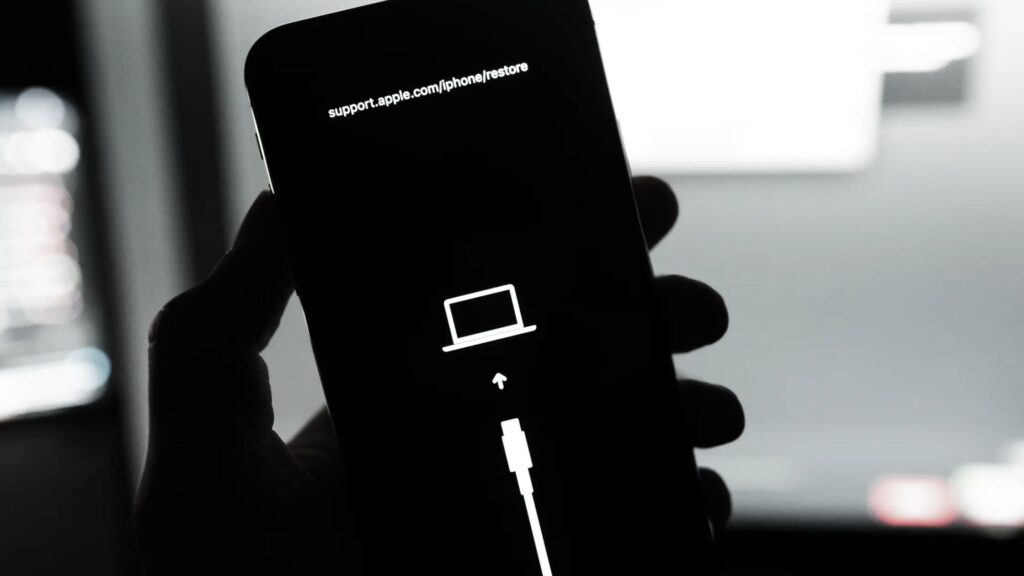
If force restart didn’t work, the next step is Recovery Mode. This lets iTunes or Finder on your Mac communicate with your iPhone even when the OS isn’t loading properly.
- Connect your iPhone to a computer with a USB cable
- Open Finder (Mac) or iTunes (Windows)
- Perform the force restart steps from Fix 2 but keep holding the side button even after the Apple logo until you see the recovery mode screen (a cable pointing to a laptop icon)
- Choose Update NOT Restore. Update tries to fix the software without wiping your data.
Only choose Restore if Update doesn’t work. Restoring will erase your phone, so make sure you have a backup.
Fix 5: The "Gentle Squeeze" Trick (And Why It Works)
This one sounds weird. But it actually works sometimes and nobody talks about it.
If you recently dropped your iPhone, the display ribbon cable inside may have slightly dislodged. Gently squeezing the top corners of your phone (near the camera area) can temporarily reconnect the cable and bring the screen back.
Important: this is a temporary fix. If squeezing brings the screen back, it means you have a hardware issue and you need professional help. Don’t keep using the phone without getting it properly repaired.
When DIY Isn't Enough Time to Get It Professionally Repaired in Alberta
If none of the above worked, your iPhone likely has a hardware problem. This could be:
- A broken or disconnected display
- A failed battery
- Water damage inside the phone
- Logic board issues
This is where professional iPhone repairs come in. Trying to open your iPhone yourself without the right tools will likely make things worse and void any remaining warranty.
Our Alberta-based repair shop handles all of this. We also do fix broken phone screen jobs same-day in most cases, and we work on iPad repair too if you’ve got a tablet with similar issues. Albertans don’t drive hours to a big-city Apple Store. Local repair shops here in Alberta can handle most iPhone issues faster, often at a better price, with no appointment needed.

How Much Does iPhone Black Screen Repair Cost in Alberta?
This is something competitors almost never answer directly. So here’s a real breakdown:
| Issue | Estimated Cost (Alberta) |
|---|---|
| Software fix / force restart | Free (DIY) |
| Screen replacement (iPhone 12–14) | $100 – $200 CAD |
| Screen replacement (iPhone 15–17) | $150 – $280 CAD |
| Battery replacement | $80 – $130 CAD |
| Water damage diagnosis | $50 – $80 CAD |
| Logic board repair | $150 – $350+ CAD |
Note: Prices vary by shop and model. Always ask for a quote before any repair.
How to Prevent This from Happening Again
Most blogs stop at the fix. But here’s how you actually avoid this problem in the future:
- Don’t let your battery hit 0% especially on newer iPhone models. Charge at 20% or above.
- Keep iOS updated bugs that cause black screens are usually patched in the next update.
- Use a quality case dropped iPhones are the #1 cause of hardware black screens.
- Avoid third-party cables uncertified chargers mess with your battery over time.
- Back up weekly if your phone does need a factory restore, you won’t lose everything.
FAQ iPhone Stuck on Black Screen
My iPhone screen is black but I can still hear notifications. Is it broken?
Probably not. Your phone is still running the screen just stopped responding. This happens more than you’d think. Try a force restart before assuming the worst. Nine times out of ten, that’s all it takes.
I dropped my iPhone and now the screen is black. What do I do?
Stop pressing random buttons it won’t help. When a drop causes a black screen, something came loose inside. The longer you wait, the higher the chance of more damage. Just bring it in and we’ll take a look. Usually not as bad as people fear.
Am I going to lose everything on my phone?
Depends on what route you take. Force restart? You lose nothing. Recovery Mode update? Still fine. The only time you risk losing data is a full factory restore and even then, if you’ve got iCloud backup, you’re good. We always check the safe options first before touching anything.
My iPad has the same black screen problem. Same fix?
Yeah, pretty much. iPads run into this for the same reasons software crash, dead battery, or a hardware issue after a drop. The force restart steps are different on iPad but the logic is the same. If it’s a hardware thing, bring it in for iPad repair and we’ll sort it out.
Phone got wet and now the screen is black. Any hope?
Turn it off right now if it’s still on and don’t plug it in to charge. Water and electricity inside your phone is a bad combo. Bring it to us as soon as you can. We’ve saved plenty of water-damaged iPhones, but timing really does matter here. The longer you wait, the messier it gets inside.

Grande Prairie:
Unit 104 10006 101 Ave Grande Prairie Alberta T8V 0Y1
Phone: +1(780) 538-4555
Store Timings:
Mon-Fri 10am – 6pm
Sat 11am – 5pm
Dawson Creek:
10222 10 St, Dawson Creek, BC V1G 3T4, Canada
Phone: +1(778) 691-9171
Store Timings:
Mon-Fri 10am-5pm
Sat 12pm – 5pm
Fort St John:
8111,100 Ave Unit 202C, Fort St John, BC V1J1W4, Canada
Phone: +1(250) 782-0090
Store Timings:
Mon-Fri 10am-5pm
Sat 12pm – 5pm