
PS5 Won't Turn On? Before You Panic, Read This
So your PS5 just… stopped working. You pressed the power button, nothing happened, and now you’re staring at a very expensive black box wondering what went wrong. Trust me, you’re not alone. This happens to more people than you’d think, and the good news is it’s not always as serious as it feels at that moment.
Before you start searching for a ps5 repair near me or assuming your console is completely dead, let’s walk through this together. Sometimes the fix is embarrassingly simple. Other times, yeah, you might need a professional. But either way, this guide will help you figure out what’s actually going on.
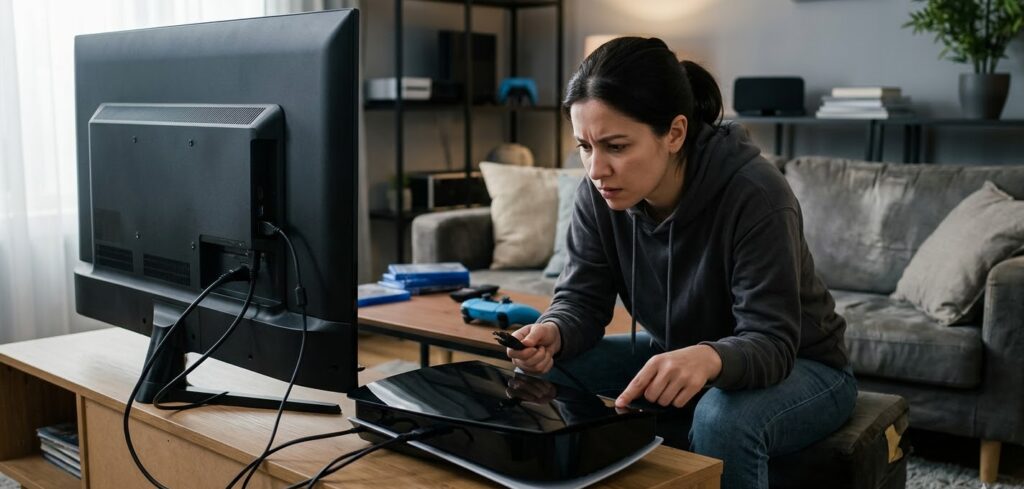
Why Won't My PS5 Turn On? The Real Reasons
There’s no single answer to this, which is part of why it’s so frustrating. The PS5 can fail to power on for a bunch of different reasons, some are minor, some are hardware-related, and some are just user errors that anyone could make.
Here are the most common causes:
- The power cable isn’t seated properly. It sounds too simple, but this is actually one of the top reasons. The PS5’s power connector can look plugged in without actually making full contact. Unplug it completely, wait 30 seconds, and plug it back in firmly.
- The outlet or surge protector is the problem, not the console. Try plugging directly into a wall outlet. Surge protectors and power strips sometimes cut power to devices they read as idle.
- The console overheated and went into thermal shutdown. If you were gaming and it suddenly turned off and now won’t come back on, heat is likely the culprit. Let it sit for at least an hour in a well-ventilated area.
- There’s a corrupted system file causing startup failure. This can happen after a bad update or sudden power loss mid-game.
- Internal hardware failure. This is the worst-case scenario: a failed power supply unit, a damaged HDMI port, or a motherboard issue that genuinely needs ps5 repair from someone who knows what they’re doing.
Step-by-Step: What to Try Before Calling for PS5 Repair
Let’s go through the basics in order. Don’t skip steps just because they seem too obvious.
Step 1: Check the power cable and outlet. Unplug everything. Plug the power cable back in with a firm push. Try a different outlet. If you have another IEC cable lying around (the kind used for many electronics), try swapping it out.
Step 2: Look for the indicator light. When you press the power button, does anything happen at all? A faint beep? A blinking white or orange light? These clues tell you a lot. No response at all usually points to a power supply issue. A blinking blue light that never goes solid white often means a software or HDMI issue.
Step 3: Try the rest mode trick. Hold the power button for about 7 seconds until you hear two beeps. This forces the PS5 into Safe Mode, where you can try rebuilding the database or restoring factory settings without losing your game data.
Step 4: Check your HDMI and TV settings. Sometimes the console turns on just fine but you’re seeing a black screen because of an HDMI handshake issue. Try a different HDMI cable, a different port on your TV, or a different TV altogether.
Step 5: Clean the vents. Dust buildup is a real issue, especially if your PS5 has been running for a year or more. Use a can of compressed air and blow out the vents from the outside. Don’t open the console yourself if you’re not comfortable with it, that’s what game console repair shops are for.
If you’ve tried all of this and still nothing, it’s time to stop guessing and get professional help.
When DIY Becomes a Bad Idea
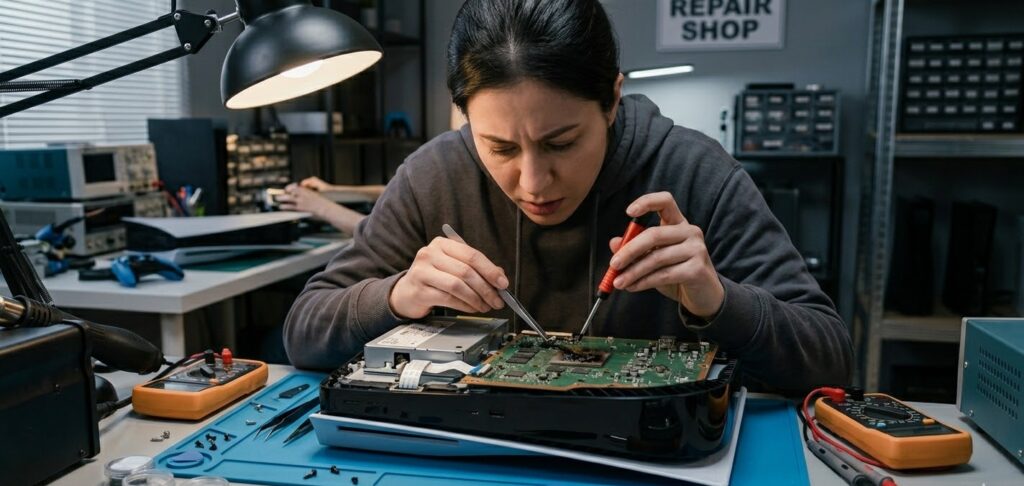
Look, there’s a line between troubleshooting and making things worse. If you’re not experienced with electronics repair, opening up a PS5 and poking around inside can void your warranty, strip screws, or damage components that were otherwise fine.
Some problems like a failed power supply unit, a damaged GPU, a burnt capacitor, or a broken HDMI port require proper tools, replacement parts, and actual experience with console repair near me-level expertise. These aren’t YouTube-tutorial fixes for most people.
If your console is still under Sony’s warranty, contact them first. But if it’s out of warranty, or if Sony’s turnaround time is too long for you, a local ps5 repair shop is often faster, cheaper, and more transparent about what’s actually wrong.
What a Professional PS5 Repair Actually Involves
When you bring your PS5 to a qualified video game repair technician, they’ll typically run a full diagnostic first. This means checking the power delivery system, the HDMI encoder chip, the SSD, the motherboard, and the cooling system.
Common repairs that shops handle include HDMI port replacement (super common on PS5s), power supply replacement, thermal paste reapplication, liquid damage cleaning, and software/firmware recovery.
At We Fixit We Printit, for example, the approach to ps5 repair is straightforward: diagnose first, quote before touching anything, and fix with quality parts. No guesswork, no hidden fees. That’s the kind of service you want when you’re handing over a $500 console.
If you’ve been searching for controller repair near me as well, a good repair shop will usually handle that too. Stick drift, broken bumpers, charging issues are all fixable without buying a new controller.
How to Find Reliable PS5 Repair Near You
Not all repair shops are created equal. Here’s what to look for when you’re searching for ps5 repair near me or console repair near me:
1. Do they specialize in game consoles or just phones and laptops?
A shop that focuses on gaming hardware will have better parts and more experience.
2. Do they offer a diagnostic fee or free diagnosis?
Some shops charge just to look at it. Others, like We Fixit We Printit, are upfront about costs.
3. Do they have reviews?
Check Google, Yelp, or Facebook. Look for specifics not just “great service” but “they fixed my PS5 HDMI port in two days.”
4. Do they offer a repair warranty?
Any reputable video game repair or ps5 repair shop should stand behind their work with at least a 30 to 90-day warranty on parts and labor.
Final Thoughts
A PS5 that won’t turn on is stressful, but it’s rarely a death sentence for your console. Work through the basic troubleshooting steps first. If nothing works, don’t keep pressing buttons hoping for a miracle to get it looked at by someone who does ps5 repair professionally.
Whether you go to Wefixit Weprintit or another trusted local shop, the important thing is acting sooner rather than later. The longer a hardware problem sits unaddressed, the more it can spread. Get it diagnosed, get it fixed, and get back to gaming.
Frequently Asked Questions (FAQ)
My PS5 turns on but the screen is black. Is it broken?
Not necessarily. This is often an HDMI signal issue. Try a different cable, different port, or different TV. If it still shows black, Safe Mode might help hold the power button for 7 seconds.
How much does a PS5 repair usually cost?
It depends on the issue. An HDMI port replacement typically runs between $80 and $150. Power supply repairs can be similar. A full motherboard repair or replacement is more expensive. Always get a quote before authorizing any work.
Can a PS5 be fixed if it gets wet?
Yes, sometimes. Liquid damage repair is possible if you act fast and take it to a qualified shop quickly. Don’t try to turn it on after liquid exposure, that’s how you fry the board permanently.
Is it worth repairing a PS5 or should I just buy a new one?
For most repairs under $150, fixing it makes more financial sense than replacing it. PS5 consoles still retail for $449 to $499, so a $100 repair is a no-brainer.
How long does a PS5 repair take at a shop?
Most common repairs, HDMI port, power supply, and cleaning are done within 1 to 3 business days at a good shop. Complex motherboard work may take longer.
Can I do PS5 repair myself?
Some things like cleaning vents or replacing the SSD are manageable. But electrical repairs, soldering, or anything involving the motherboard should be left to professionals.

Grande Prairie:
Unit 104 10006 101 Ave Grande Prairie Alberta T8V 0Y1
Phone: +1(780) 538-4555
Store Timings:
Mon-Fri 10am – 6pm
Sat 11am – 5pm
Dawson Creek:
10222 10 St, Dawson Creek, BC V1G 3T4, Canada
Phone: +1(778) 691-9171
Store Timings:
Mon-Fri 10am-5pm
Sat 12pm – 5pm
Fort St John:
8111,100 Ave Unit 202C, Fort St John, BC V1J1W4, Canada
Phone: +1(250) 782-0090
Store Timings:
Mon-Fri 10am-5pm
Sat 12pm – 5pm