
What to Do When You Have Spilled Liquid on Laptop: A Step by Step Guide
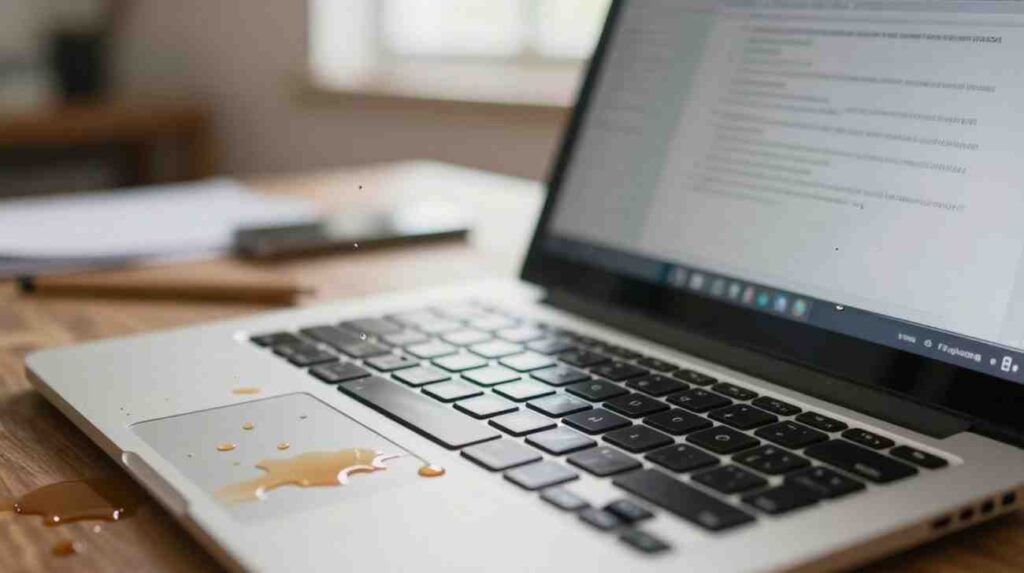
So you just spilled liquid on your laptop. Maybe it was your morning Tim Hortons. Maybe your kid knocked over a glass of juice at the dinner table. Whatever happened, your hands are probably shaking right now and your brain is in full panic mode. Take one breath. If you have spilled liquid on your laptop in the last few minutes, you still have a genuine chance to save it. But you need to move fast and do the right things in the right order. Story of every individual even at Grande Prairie or in Dawson Creek. Visit WeFixIt & WePrintIt Store in Grande Prairie. This guide walks you through everything, from the very first second after the spill to figuring out whether you need a repair shop or a brand new machine.
We’re breaking down everything you need to know about iPad screen repair, what to expect from the process, and how to figure out whether a refurbished or pre-owned iPhone is the right choice for your next upgrade.
Stop. Do Not Touch the Keyboard. You Spilled Liquid on Your Laptop. Here Is What to Do Right Now
Most people make the exact same mistake in the first ten seconds. They start tapping keys to check if the laptop still works. That is the worst thing you can do. Every key press pushes moisture deeper inside, closer to the motherboard.
Here is the order that actually matters:
Power it off immediately
Do not click through menus or wait for a proper shutdown. Hold the power button down hard until the screen goes black. If the laptop is plugged into the wall, yank that cord out before anything else. Zero electricity through wet components is the goal.
Remove the battery if you can
Older laptops have a removable battery on the bottom panel. Pop it off. Newer MacBooks and slim ultrabooks have sealed batteries you cannot reach without tools. If that is your machine, skip this and keep moving.
Disconnect absolutely everything
USB sticks, your mouse, external drives, headphones, your charging cable. Unplug all of it right now.
Flip the laptop upside down like a tent
Open the lid and rest the laptop keyboard side down on a dry towel so it forms an upside down V shape. Gravity will pull liquid away from the motherboard and toward the keyboard and out the edges. This one step saves more laptops than people realize.
Dab the outside dry
Use a lint free cloth or a few paper towels and gently pat down the keyboard, ports, and vents. Do not wipe or scrub. Dabbing lifts liquid up rather than spreading it sideways.
The first sixty seconds after a spill honestly matter more than anything else in this article. Do not skip steps and do not change the order.
Spilled something on your laptop? Get your broken laptop fixed by experts in Grande Prairie and Dawson Creek.
What Did You Actually Spill? This Changes Everything
Plain water is the most forgiving liquid you can spill. It leaves no residue when it evaporates, and if you powered off fast enough, careful drying at home may be enough.
Coffee, tea, pop, juice, and alcohol are a completely different situation. These liquids contain sugar, acids, and minerals that leave behind a sticky corrosive film when they dry. That film keeps eating at your motherboard’s copper traces and solder joints long after the liquid itself is gone. Your laptop might boot up fine the following week and start failing a month later, and you may not even connect it back to the spill.
This is one of the most common reasons Canadians walk into shops asking about desktop computer repair or a full replacement. They had a spill, thought they dodged it, and are now dealing with mysterious problems weeks later. If you spilled anything other than plain water, the inside of the machine needs professional cleaning, full stop.
How Long Should You Wait Before Turning It Back On?
Leave the laptop in that upside down tent position on a dry surface with decent air circulation for at least 24 to 48 hours. Near an open window or under a ceiling fan works well. For anything other than plain water, honestly, take it to a professional instead of waiting at home.
Two things worth clearing up. The rice trick is a myth. Rice absorbs almost no moisture from inside a laptop cavity and does absolutely nothing for residue from sugary drinks. The only thing it does is make you feel productive while damage quietly continues. Skip it entirely.
Also, do not use a hair dryer in a hot setting. Heat warps plastic components, can damage the display, and may push moisture into different areas rather than removing it. Cool air from a fan held at a distance is fine. Hot air is not.
Signs You Need a Professional Right Away
If your laptop shows any of the following after drying, stop trying to revive it at home and get it to a repair shop.
The screen has dark blotchy patches, strange colours, or lines running across it. Keys are unresponsive or feel stuck. The laptop powers on but shuts down randomly. There is a faint burning smell coming from the vents. It does not turn on at all. Any one of these means active damage that will not fix itself.
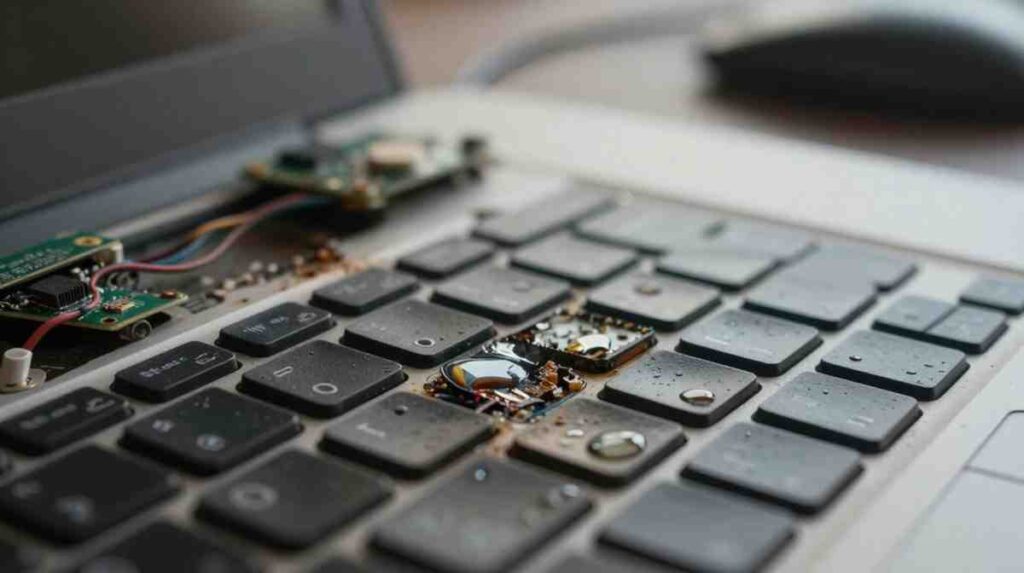
Searching for computer tech services near me or computer repair Grande Prairie AB will surface local options quickly. When you call, ask specifically whether the shop handles liquid damage repairs. Not all of them do. A proper liquid damage repair means opening the device, removing the motherboard, cleaning it with 99% isopropyl alcohol using fine brushes or an ultrasonic cleaner, and testing each component individually before reassembly.

A skilled computer repairing technician will also inspect for corrosion under magnification. Corrosion hides in spots you cannot see with the naked eye and keeps spreading if it is not fully removed during the cleaning process.
What Happens to the Screen After a Spill?
Screens are more vulnerable than most people expect. Liquid can travel through the hinge area and seep behind the display panel, leaving yellowish tide marks, dark spreading edges, or flickering lines that were not there before.
The good news is that laptop computer screen repair is one of the most routine fixes a technician handles. Replacement panels for most Windows laptops cost a fraction of a new machine. Even many MacBook screens can be replaced affordably by an experienced technician. If your screen looks rough but everything else feels normal, get an assessment before writing the laptop off.
What About Your Files?
This is usually the first question people ask once the initial panic settles.
Your storage drive, especially an SSD, is one of the more resilient components in a spill scenario. SSDs have no moving parts and are often positioned away from where liquid pools inside the chassis. Even when the laptop itself cannot be saved, data recovery is frequently possible.
Reputable computer stores Grande Prairie and certified shops across Canada offer dedicated data recovery services. They can retrieve your photos, documents, and everything else from a damaged drive even when the machine is beyond repair. Mention data recovery as a priority when you call the shop so they handle the drive with extra care from the start.
Going forward, set up automatic backups. A free service like Google Drive or a cheap external drive synced weekly means you never have to worry about this particular nightmare again.
Broken Laptop Fixed: What to Expect at Repair Shops in Grande Prairie and Dawson Creek
Taking a liquid damaged laptop into a shop feels less stressful when you know what to expect.
Here is exactly how a professional repair unfolds, step by step:
What the technician does first?
- Sits down with you for a quick intake conversation, asking what liquid spilled, how much of it, and whether you tried powering the laptop on afterward
- Does a full visual inspection of the motherboard, connectors, and internal components once the device is opened
- Looks for corrosion, burnt areas, and residue buildup that may not be visible from the outside
The cleaning and repair stage:
- Removes the motherboard carefully and cleans it using 99% isopropyl alcohol with fine brushes, or runs it through an ultrasonic cleaner for deeper residue removal
- Tests each component individually before putting anything back together
- Sources and installs any replacement parts needed, whether that is a keyboard, charging port, or a damaged chip
Before the laptop leaves the shop
- Reassembles the entire unit and runs full system tests to confirm everything is working properly.
- Goes over the repair with you and explains what was found and what was fixed.
- Provides a written warranty on the work done
How long does it take to get a broken laptop fixed?
- Simple cleaning jobs with no part replacements: usually one to two business days
- Repairs that need new components sourced: typically three to five business days depending on parts availability
- Any shop worth trusting gives you a clear written quote before a single screw is touched. If they cannot do that, walk out and find someone who can.
When Is Repair Not Worth It?
A trustworthy technician will be straight with you on this. If corrosion has spread across multiple areas of the motherboard, or critical chips were destroyed in a short circuit, repair costs can easily exceed what the machine is worth.
In that situation, shops offering desktop computer repair or laptop sales can help you figure out the best next step. Sometimes moving to a desktop setup actually makes more sense depending on how you work. The important thing is getting an honest assessment, not a quote built around selling you something.
Frequently Asked Questions
My laptop still works after the spill. Do I still need to take it in?
Yes, especially if you spilled coffee, tea, juice, or pop. The laptop working right now does not mean it is safe. Residue from sugary or acidic liquids keeps corroding components quietly. A professional cleaning from a computer repairing shop is far cheaper than dealing with a failed motherboard two months from now.
How much does liquid damage repair cost in Canada?
Basic cleaning and inspection typically runs $80 to $150 CAD. Component replacements like a keyboard or motherboard repair range from $150 to $400 or more depending on the model. Laptop computer screen repair generally falls between $120 and $300. Always get a written estimate before work begins.
Should I put my laptop in rice?
No. Rice does not meaningfully absorb moisture from inside a laptop and does nothing for residue from sugary drinks. Proper air drying in a ventilated area is more effective. For anything beyond plain water, take it to a professional.
How do I find a trustworthy repair shop in Grande Prairie?
Search computer repair Grande Prairie AB or computer tech services near me and spend a few minutes reading Google reviews. Ask shops whether they have experience with liquid damage specifically and whether they offer warranty on repairs. Asking about ultrasonic cleaning equipment is a good way to gauge how seriously they take this kind of work.
Can I get my files back if the laptop is completely dead?
In most cases, yes. Computer stores Grande Prairie and data recovery specialists across Canada routinely retrieve data from heavily damaged machines. Tell the shop upfront that recovering your files is a priority.
How long should I wait before turning the laptop on after a spill?
At least 24 hours for plain water in a well ventilated spot. For anything else, skip the waiting and take it straight to a professional. Powering on with residue still inside is how a recoverable situation becomes a write off.
Is it worth fixing an older laptop after liquid damage?
That depends on the repair cost versus the machine’s value. A good technician will give you an honest answer. If the repair comes to more than half the replacement cost, it is usually smarter to move on. If it comes in well under that, fixing almost always makes sense.

Grande Prairie:
Unit 104 10006 101 Ave Grande Prairie Alberta T8V 0Y1
Phone: +1(780) 538-4555
Store Timings:
Mon-Fri 10am – 6pm
Sat 11am – 5pm
Dawson Creek:
10222 10 St, Dawson Creek, BC V1G 3T4, Canada
Phone: +1(778) 691-9171
Store Timings:
Mon-Fri 10am-5pm
Sat 12pm – 5pm
Fort St John:
8111,100 Ave Unit 202C, Fort St John, BC V1J1W4, Canada
Phone: +1(250) 782-0090
Store Timings:
Mon-Fri 10am-5pm
Sat 12pm – 5pm